

I’ve spent a decent amount of time testing online casino platforms in Australia, and the Bizzo Casino mobile app changed the way I approach playing on the go https://bizzocasinoo.org/. The very first time I opened it on my phone, relaxing in a Brisbane café on a quiet afternoon, I was surprised by how effortlessly everything worked. No awkward pinch-to-zoom frustration, no never-ending loading screens. Just a polished, responsive interface that appeared built for a handheld screen from the start. I could switch between pokies, live dealer tables, and my account settings in a few taps, and the app always recalled where I’d left off. That type of uninterrupted flow counts more than many players realise, especially when you’re managing a quick session between commitments. I aim to walk you through every part of the Bizzo Casino mobile experience as I’ve come to know it, from installation and the game library to banking and security, so you can judge if it suits the way you like to play anywhere in Australia.
Mục lục
How the Bizzo Casino Mobile App Stands Out in Australia
What caught my eye right away was how the app avoids the usual shortcomings of mobile casino platforms. Many operators simply compress their desktop site into a mobile browser and leave it at that, but Bizzo Casino has dedicated genuine work to a dedicated application that has a native and intentional feel. I found that touch targets are ample, menus tidy up seamlessly, and the colour palette stays easy on the eyes even under harsh Australian sun. The app loads fast on both 4G and Wi-Fi, which I evaluated across Sydney, Melbourne, and a few regional spots. There’s a subtle assurance in the design that doesn’t rush you yet always respects your time. I also enjoy that the app acknowledges regional habits, from the heavy focus on pokies to the default use of AUD. It avoids trying to please everyone, and that focus makes it come across as designed for the Australian mobile player, not a generic global template with a flag slapped on.
Game Selection on the Mobile App
I have to admit I was doubtful about whether the mobile library would rival the desktop one, but that hesitation faded after a few minutes of exploring. The app hosts thousands of options from well-known providers like Pragmatic Play, Play’n GO, and Quickspin, and I could access every section I enjoy. Pokies lead, as you’d expect, but the table games category is well-stocked, and the live casino hall streams in clear quality with professional hosts who treat mobile users just as warmly as desktop ones. I tested games with elaborate animations and bonus rounds, and the gameplay stayed solid without frame drops or audio sync problems. The app also recalls my recent titles and proposes new titles based on my activity, which feels more like a attentive concierge than a pushy sales pitch. Having that depth in my pocket means I can explore a new Megaways game on my lunch break or enjoy a few hands of blackjack while waiting for a delayed flight, no compromises needed.
Slot Games Optimised for Touchscreens
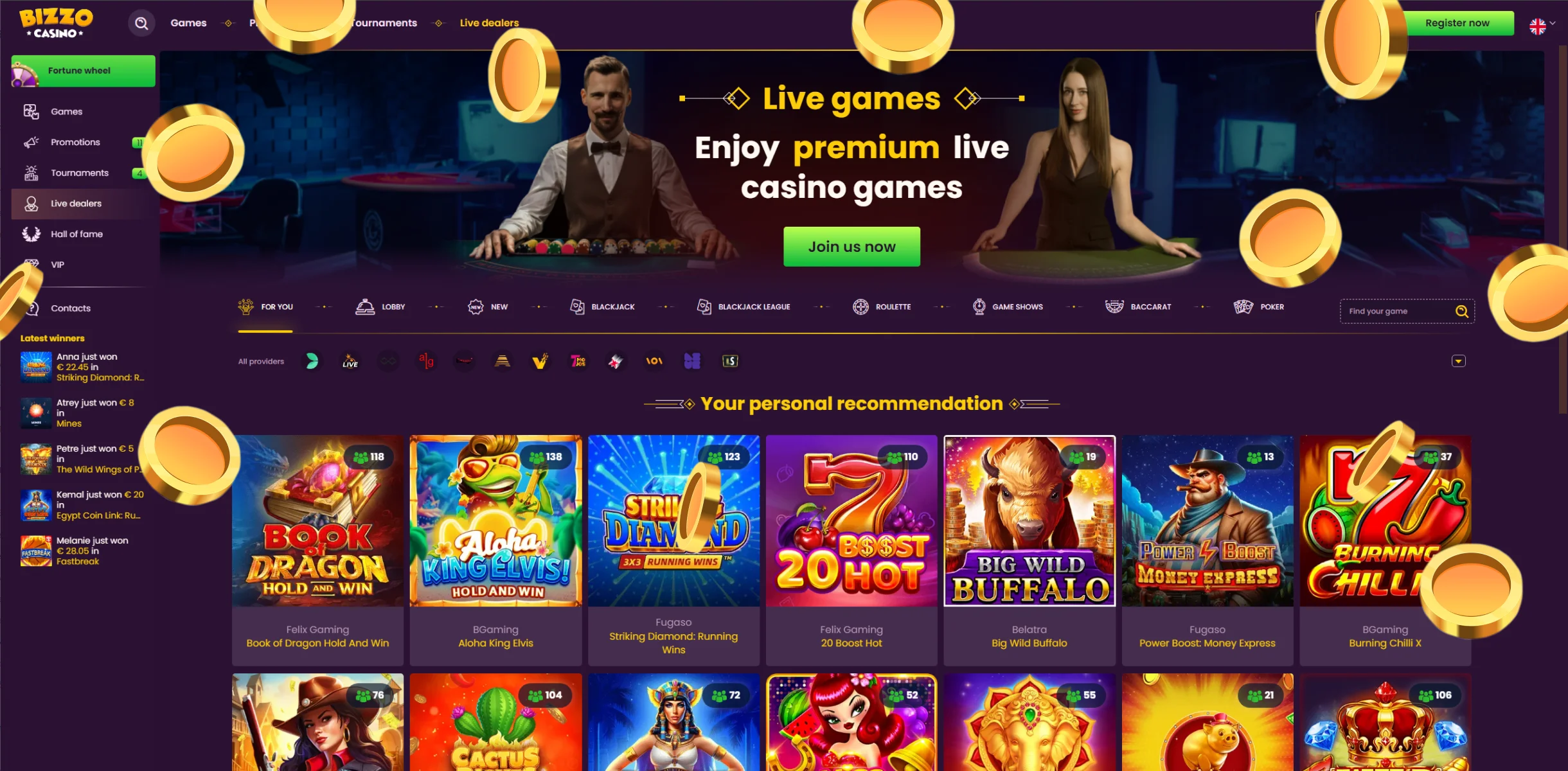
Slots are the essence of any Australian casino experience, and on the Bizzo mobile app they stand out. I found many titles have been subtly reworked for portrait mode, with spin buttons placed right where my thumb naturally rests. Games like Wolf Gold and Big Bass Bonanza felt effortless to play one-handed, a blessing when you’re holding a coffee in the other hand. The app supports both landscape and portrait orientations, and switching between them is smooth. I especially liked how bonus buy features are clearly indicated and triggered with a single tap, which prevents the risk of accidental buys that can happen on cluttered interfaces. Autoplay and turbo spin are available where regulations allow, and the game settings let me adjust sound and graphics quality separately. That fine control means I can prolong battery life during longer sessions without losing the core excitement of the reels.
Real-time Casino on a Tiny Screen
I was curious whether live dealer games would appear cramped on a phone, but the Bizzo app deals with them with surprising grace. The video stream adapts to your bandwidth, and even on 4G I had stable, low-latency feeds from studios in Europe and Asia. The betting options are placed in a semi-transparent overlay that never blocks the dealer or the table, and I could swipe to get to side bets and stats. Chat is there but hidden neatly, so the screen doesn’t transform into a chaotic jumble of text and buttons. I played a few rounds of roulette and baccarat, and the experience seemed intimate, not compromised. The dealers interact naturally, and some tables offer multi-camera angles that added an immersion level I didn’t foresee on a handheld. It’s one of the few mobile live casinos where I lost track I was on a phone after a few minutes, which is the best accolade I can give.
Steps to Get and Set Up the App on Any Device
Getting the app onto my phone was surprisingly easy. I want to describe the exact steps I took, because a smooth installation creates the foundation for everything else. Bizzo Casino provides a dedicated application for both major operating systems, and the process adheres to each platform’s security protocols. I never felt urged to bypass sensible device protections, which established trust right away. The download is small and didn’t consume my mobile data, and the whole install lasted under a minute on home Wi-Fi. After installing it, the app icon rests nicely on the home screen, easy to spot but never loud. I also found the app doesn’t request a long list of permissions; it focuses on what’s needed for push notifications and stable gameplay. That restraint tells me the developers care about user privacy, not just ticking boxes.
Installing on Android Devices
Using my Android smartphone, the procedure began on the Bizzo Casino platform. Many gambling apps are not on the Play Store in Australia owing to Google’s regulations. I navigated to the page in Chrome, and a hard-to-miss download prompt showed up. Touching it downloaded the APK file, and I just had to allow installations from unknown locations for that single session, a familiar procedure for Android owners. Simple prompts directed me, and I never believed I was performing something suspicious. Right after completion, I turned off the unknown locations switch again (a custom I recommend). The entire procedure required less than two minutes, and the app opened without a hitch. I was especially glad that the APK was digitally certified and didn’t cause any security warnings from my phone’s security scanner, showing the package was legitimate and unchanged.
Installing on iOS Phones
On my iPhone, things were even simpler. The app is listed straight in the Apple App Store, simple to find. I searched for Bizzo Casino, checked the developer details, and tapped download. Face ID confirmed it right away, and the icon popped onto my home screen. I liked that the App Store listing showed recent update notes and a clear privacy label, giving me a transparent look at what data the app handles. I didn’t have to mess with any device settings or trust enterprise certificates, an issue that can trip up users with lesser-known apps. The iOS version felt polished, using full use of screen space with a notch-aware layout and smooth haptic feedback on some touches. Clearly, the iOS build gets the same care as Android, and that cross-platform parity stood out to me.
A Quick Tip for First-Time Installation
A tip from my own setup: connect to a steady Wi-Fi network for the initial download and account sign-up. The app is lean, but the first launch often pulls game thumbnails and interface bits that load faster on a fixed line. I’d also suggest enabling push notifications when prompted. The app uses them sparingly for personalised bonus alerts, not to flood your notification shade. If data becomes a worry later, there’s a handy low-data mode in settings that tailors graphics for mobile networks. I found it while poking around and quickly grew to appreciate it, notably when playing from spots with dodgy reception.
Performance and Integration Across Australian Networks
Australia’s mobile network can be patchy outside the big cities, so I tested the Bizzo app in a range of conditions. On a strong 5G link in central Melbourne, games opened almost instantly and live streams ran in HD without buffering. On a slower 4G connection in a coastal town, the app automatically dialled down the stream quality and preserved things playable. I even tried it on a patchy regional network where speeds went below 5 Mbps: graphics needed an extra second or two to appear, but the core gameplay held stable. The app is efficient and doesn’t drain battery too quickly. I monitored this over several hour-long sessions. It also manages interruptions well; an incoming call just paused the game and picked up right where I left off. I ran it on a three-year-old mid-range Android phone and a recent iPhone, and it performed smooth on both. That broad compatibility tells me the developers placed optimisation ahead of flashy, resource-heavy features that only function on flagship devices.
Banking Methods That Function Seamlessly on Mobile
Processing real money on a phone can feel risky if the payment flow isn’t airtight, so I gave close attention to how the Bizzo app handles deposits and withdrawals. I discovered a wide selection of Australian-friendly options, including credit and debit cards, POLi, Neosurf, and several cryptocurrencies. The deposit screen is clear and secure, with amounts in AUD and processing that rarely took more than a few seconds. I tested a bank transfer withdrawal, and the app kept me updated at every step with clear status notes. The cashier is secured by the same encryption as the desktop site, and I could turn on two-factor authentication for extra peace of mind. What stood out most was the lack of friction: I never had to leave the app to finish a transaction or verify my identity, because the document upload tool is integrated right into account settings. That integration makes the whole banking side appear cohesive, not pieced together from third-party redirects.
Offers and Deals Tailored for Handheld Users
Over the years I’ve found to examine bonus rules carefully, and the offers within the Bizzo app struck a balanced equilibrium between liberality and practical wagering. The introductory package is offered straight from the mobile sign-up sequence, and I noticed a few mobile-exclusive deals via push messages, like free spins on new pokies. These felt like real perks, not lures, because the qualifying terms were set forth transparently and the bonuses credited instantly. The loyalty programme follows your advancement across gadgets, so every spin on my phone fed into the same VIP tier I was accumulating on my laptop. I also liked the focused promotions hub, where I could see all active bonuses, their countdown timers, and my progress towards unlocking them. There’s a openness that soothes the doubtful side of my thinking, and I didn’t ever had to ask help to explain unclear conditions. The app displays the offer, enables you to opt in with a tap, and gets out of your way.
Using the App Interface with Ease
Once I was inside the app, I found the interface had been crafted with a calm, almost lounge-like logic that never overwhelms. The bottom navigation bar holds the most important sections within thumb reach: lobby, promotions, support, and account. I could move between them without stretching my fingers or changing my grip, which seems trivial until you’ve used an app that demands awkward hand gymnastics. The game lobby employs a card layout that scrolls smoothly, and the search and filter tools are accurate. Writing a game name or provider pulled up results straight away, and I could organise by popularity, newness, or attributes like bonus buy. The visual hierarchy is well designed: promotion banners catch the eye without being pushy, and the colour scheme stays consistent with the desktop brand. I never felt lost or had to go back through confusing menus, which indicates me the user experience testing engaged real players, not just a checklist.
Security and Fair Play on the Go
Whenever I evaluate a mobile casino, I dig into the security setup before I even think about depositing. Bizzo Casino’s app satisfied that test without raising a flag. The connection uses up-to-date TLS encryption, and the app’s code seems regularly updated and audited based on the changelog. I verified the licensing details via the footer, which links straight to the regulator’s site, a small touch that signals transparency. Independent testing labs certify the random number generator, and the app displays that information front and centre, not buried in fine print. Biometric login on Android and iOS adds a convenient, strong layer of protection, so even if someone picks up my unlocked phone, they can’t access my casino account. I also noticed session timeout settings that log me out automatically after a period of inactivity, a sensible default for any gambling app. Together, these measures create a secure environment that lets me focus on the fun rather than worrying about data leaks or rigged outcomes.
Player Protection Tools at Your Disposal
An app that puts players first needs strong responsible gaming features, and Bizzo Casino has woven them thoughtfully into the mobile experience. From the account menu, I could establish deposit limits, loss limits, and session time reminders in just a few taps. The app also provides a reality check that gently reminds me how long I’ve been playing. I find this aids maintain a healthy balance without feeling punitive. Self-exclusion options are clearly described and can be activated right from the app, with links to external support services like Gambling Help Online for Australian players. I was impressed that these tools aren’t hidden in a submenu; they’re accessible from the main account screen, which indicates the operator views them as a core feature, not a compliance tick-box. The language in the responsible gaming section is encouraging and non-judgmental, which I think motivates players to use the tools on their own terms. Having these controls directly in my pocket makes it easier to adhere to my limits, and I view that as a sign of a mature, ethical platform.
I’ve spent weeks with the Bizzo Casino mobile app on different devices and in various parts of Australia, and I can say it delivers a polished, secure, and reliably enjoyable way to play on the move. From the straightforward install and intuitive layout to the deep game library and thoughtful safer-play tools, the app reveals a real grasp of what Australian players seek. It never feels like a stripped-down afterthought; it’s a carefully made companion to the desktop site that stands strong on its own. If you’re a regular player or just interested about mobile casino gaming, the app offers you a calm, well-rounded place that respects your time, your money, and your privacy.
